Tulum › Исток: Nômade

Flag of Мексико Tulum, Мексико

Tulum, Мексико
New (0)
Real-Time Environment
HD Video 24/7 Access North America

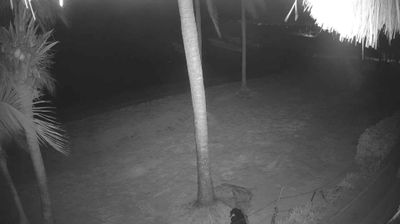
Welcome to the live streaming webcam for Tulum › Исток: Nômade, perfectly situated in the vibrant region of Tulum, Мексико. Watching this live camera allows you to instantly experience the local atmosphere and monitor current climate conditions.


Tulum

About Tulum

Tulum is the site of a pre-Columbian Mayan walled city which served as a major port for Coba, in the Mexican state of Quintana Roo. The ruins are situated on 12-meter-tall (39 ft) cliffs along the east coast of the Yucatán Peninsula on the Caribbean Sea. Tulum was one of the last cities built and inhabited by the Maya and achieved its greatest prominence between the 13th and 15th centuries. Maya continued to occupy Tulum for about 70 years after the Spanish began exploring Mexico, but the city was abandoned by the end of the 16th century. Tulum is one of the best-preserved coastal Maya sites, and today it is a popular site for tourists.

📖 Read more on Wikipedia
📍 Location Facts
  • Country Flag Мексико
  • Region Quintana Roo
  • City Tulum
  • Coordinates 20.1460°N, -87.4596°E
Added: Apr 25, 2026 Updated: Live

Explore other categories in Мексико


More Webcams in Мексико

Frequently Asked Questions

Webcam.beer is a premium global directory of live streaming webcams. We curate and index thousands of real-time cameras from around the world, allowing you to instantly check weather conditions, explore famous tourist spots, view city traffic, and discover beautiful landscapes all in one place.

Yes! The vast majority of the cameras in our network are real-time, live video streams. Some remote or scientific cameras may provide frequently updated high-resolution imagery (updated every few seconds or minutes) due to bandwidth constraints in those specific locations.

Absolutely. Browsing, watching, and exploring the webcams on our platform is 100% free. You do not need to pay or create an account to view the live streams.

We love community contributions! You can easily submit a live stream by clicking the "Add Cam" button in the main menu. Once submitted, our moderation team will review the camera to ensure it meets our quality and safety guidelines before it goes live on the platform.